Get my website

Fifteen to twenty minutes, if you have these ready.

After checkout you get one online form. It asks for the text and photos that go into each section of the framework, and this page lists all of it in the same order, so you can gather it before you sit down.

Before you start.

Three things worth knowing about the online form, so the checklist below makes sense.

Nothing is due before checkout.

You choose a plan first. The online form comes after, and you fill it in at your own pace. This page is a head start, not a requirement.

Finishing the form starts the clock.

Live within 72 hours is counted from the moment you finish the online form, not from checkout. Having these ready is the fastest route to a live website.

You can change all of it later.

Every line and photo can be edited afterward through a simple editor, no code. Aim for close, not perfect.

Want to see where each answer lands? Every section is explained on the framework page. The live framework is up too, with placeholder text in brackets where your details go.

Business basics.

The details that appear in more than one place: the navigation, the closing section, the footer, and the Call Now pill that follows visitors down the page.

  • Business nameExactly as it should read on the site. It goes in the navigation and the footer.
  • TaglineOne short line under your name in the footer. What you do and where is plenty.
  • Phone numberThe number customers should call. It becomes the button in the navigation, the hero, the Call Now pill and the closing section.
  • EmailShown in the closing section and the footer.
  • Business hoursShown in the closing section, next to your phone and email.
  • City and stateFor the footer, and the starting point for your service area.
  • Brand colorUsed for the buttons and the call-to-action band. A hex code is ideal. If you don't have one, the color on your logo, truck or business cards is enough to go on.
  • Logo, optionalIf you have one, send the largest version you have. If you don't, your business name is set in text in the navigation.

The first screen.

The hero is what a visitor sees before they scroll, and the trust strip sits directly under it. Two lines of text, one photo, four badges.

Hero.

Your photo runs the full width of the screen, with the text centered over it and two Call Now buttons underneath.

  • EyebrowA few words set small above the headline, usually your trade and your area.
  • HeadlineThe biggest line on the site. One plain sentence about what you do and where, short enough to read on a phone.
  • A wide photoHorizontal, and the best one you have. A job in progress, your truck at a house, your crew on site. The text sits in the middle, so leave room there.

Trust badges.

A thin dark band under the hero. It answers the first question a homeowner has, can I trust these people, in one glance.

  • Four badgesTwo to four words each: licensed and insured, a warranty, years in business, a certification. Whatever people in your trade get asked about before the first visit.
  • Your own wordingUse what's on your license or certificate. Only claims you can back up.
The first screen of the framework on a desktop: a navigation bar with [Business Name], a Call Now button and five links, over a full-width photo with [Client H1 Headline] and two Call Now buttons.

The first screen of the framework. Eyebrow, headline, photo and phone number are yours; the trust strip with your four badges sits directly under it.

Services and recent work.

The two sections that do most of the convincing. Four services with a photo and a line each, then a gallery of eight photos.

Services.

Four cards under a What we do eyebrow, each with a photo, a name and one line, followed by a Call Now button.

  • Four service namesThe four things you most want to be hired for, not everything you can do. Two or three words each.
  • One line per serviceWhat it covers and who it's for, in the words a customer would use to search for it.
  • One photo per serviceA clear shot of the work itself, so a visitor can tell one service from the next at a glance.
  • Optional: the one-line promiseThe line beside the Services headline comes with a default sentence already written. Keep it or replace it with your own.
The services section: a What we do eyebrow, the headline Services Built to Last, four cards each with a photo, a [Service] name and a short description, and a Call Now button.

The services section. Four cards, each with a photo slot, a name and one line.

Recent work.

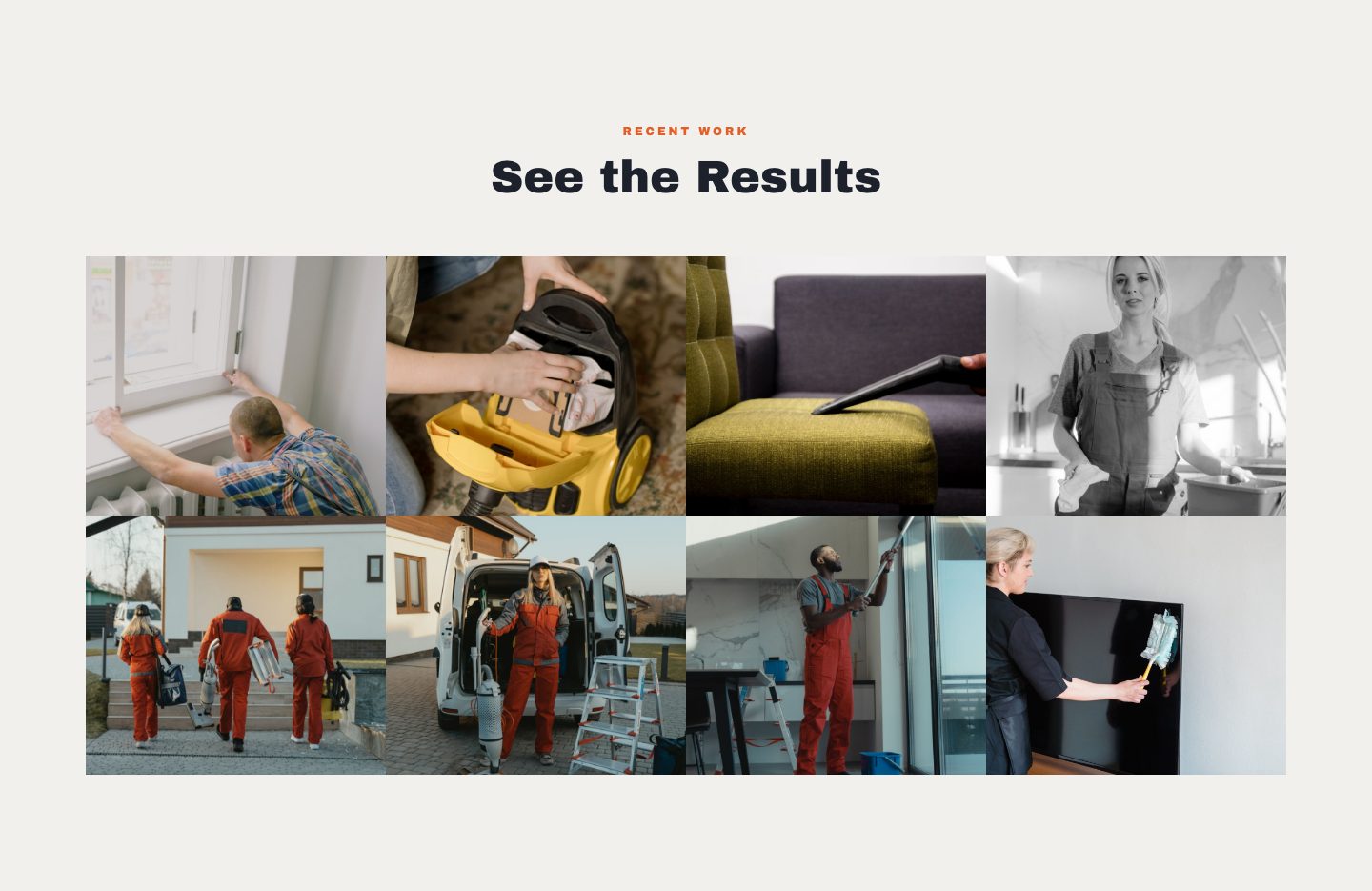
A grid of eight photos under a Recent work eyebrow. Nothing to write here. The photos do the talking.

  • Eight photos of finished workYour best jobs, not necessarily your latest. Daylight, cleaned up, and close enough to see the workmanship.
  • A mix helpsDifferent jobs, different angles, different houses. Eight views of the same job reads like one.
The recent work section: a Recent work eyebrow, the headline See the Results, and a grid of eight photos in two rows.

The recent work gallery. Eight slots, your photos.

About, and why choose us.

Two sections about the people behind the work. One is your story. The other is your case, in four points.

About.

A photo beside an Our story eyebrow, a headline and two paragraphs, with an Est. badge showing the year you started.

  • About headlineOne line on who you are. Family-owned, local, how long you've been at it.
  • Two short paragraphsHow the business started, and how you work today. Three or four sentences each, written the way you'd say it at a customer's kitchen table.
  • Founding yearShows on the Est. badge over the photo.
  • A photoYou, your crew, your truck or your shop. People hire people, so a face helps.
The about section: a photo with an Est. [Year] badge, an Our story eyebrow, [About Headline], two paragraphs and a line for certifications and licenses.

The about section. The empty slot on the left is where your photo goes; beside it, your headline, two paragraphs and the year.

Why choose us.

A dark band with eight reasons to choose you side by side, each with one line on why it matters to the customer.

  • Eight reasonsWhat you do that the next listing doesn't: upfront pricing, a real warranty, the owner on every job, showing up when you said. Two to four words each.
  • Why each one mattersOne line per point, written from the customer's side. Not the feature but what it means for them: fewer surprises on the invoice, one person to call, a job that's done when they get home.
The why choose us section: a dark band with the headline Built on Trust, Backed by Results and eight white cards in two rows of four, each a [Differentiator] title with one line on why it matters to the customer.

The why choose us band. Four points, each with the reason it matters.

The rest of the page.

Four shorter sections. All of them are text, and none of them needs a photo.

Call-to-action band.

  • HeadlineOne line on a band in your brand color, midway down the page. The one thing you want a visitor to do, usually call.
  • One short lineOne reason to do it now: free inspections, same-week visits, whatever is true for you.

Service area.

  • HeadlineA few words on where you work.
  • DescriptionOne or two sentences on how far you travel, and for which jobs.
  • Six citiesThe six towns you most want to be found for. They sit in a card, followed by an invitation to call if someone's town isn't on it.

FAQ.

  • Seven questionsThe ones you answer on the phone every week: pricing, timing, licensing, payment, what happens on the first visit.
  • Seven answersA sentence or two each, in the words you'd use in person. An honest answer here saves you the same call later.

Closing call to action.

  • HeadlineThe last thing a visitor reads before the footer. A plain invitation to get in touch.
  • SublineOne line under it. Your phone, email and hours from the business basics appear here as well, so nothing extra is needed.

A few photo tips.

Real jobs, real trucks, real people. A phone camera is enough. Fourteen photos in all: one wide one for the hero, one per service, eight for the gallery and one for the about section.

Wide for the hero.

It runs the full width of the screen with the headline over the middle. Shoot horizontal, step back, and keep the busiest part of the picture out of the center.

Close for services.

Service photos sit in cards. Fill the frame with the work itself so a visitor can name the service before reading it.

Your best eight for the gallery.

Finished work, in daylight, with the site cleaned up. Different jobs and different angles, so the grid doesn't repeat itself.

If something is missing, send what you have.

Not every business has eight gallery photos or seven questions ready on day one. Fill in what you have and skip what you don't. You see the result in a final preview before anything goes live. Revisions are handled online.

If you have no photos at all, email support@horizondigitalco.com before you start. Our support replies within 24 hours.

Anything you add or change later goes in through the same simple editor. No code, and no invoice for edits.

See the framework before you pay a cent.

$59 one-time setup, then $99/mo. for 12 mo. or $169/mo. with no commitment. No sales calls.